How to Stop Looking at the Keyboard While Typing
Almost everyone who types slowly has the same habit: their eyes travel between the screen and the keys. Each trip costs a fraction of a second, and there are hundreds of them in a page of text. Worse, while your eyes are on the keys you cannot see your mistakes, so you find them late and fix them slowly. Breaking this one habit usually does more for your speed than any other change.
Why you look down
You look because your fingers do not yet know where the keys are, and your eyes are a reliable backup. That backup is the problem. As long as the eyes do the finding, the fingers never have to learn. Looking is not a sign that you are a poor typist. It is a sign that you learned by sight, as most people do, and nobody told you to stop.
There is also a comfort element. Typing blind feels uncertain at first, and a quick glance removes the uncertainty. Each glance is a small reward, which is why the habit is stubborn.
What your hands need to know first
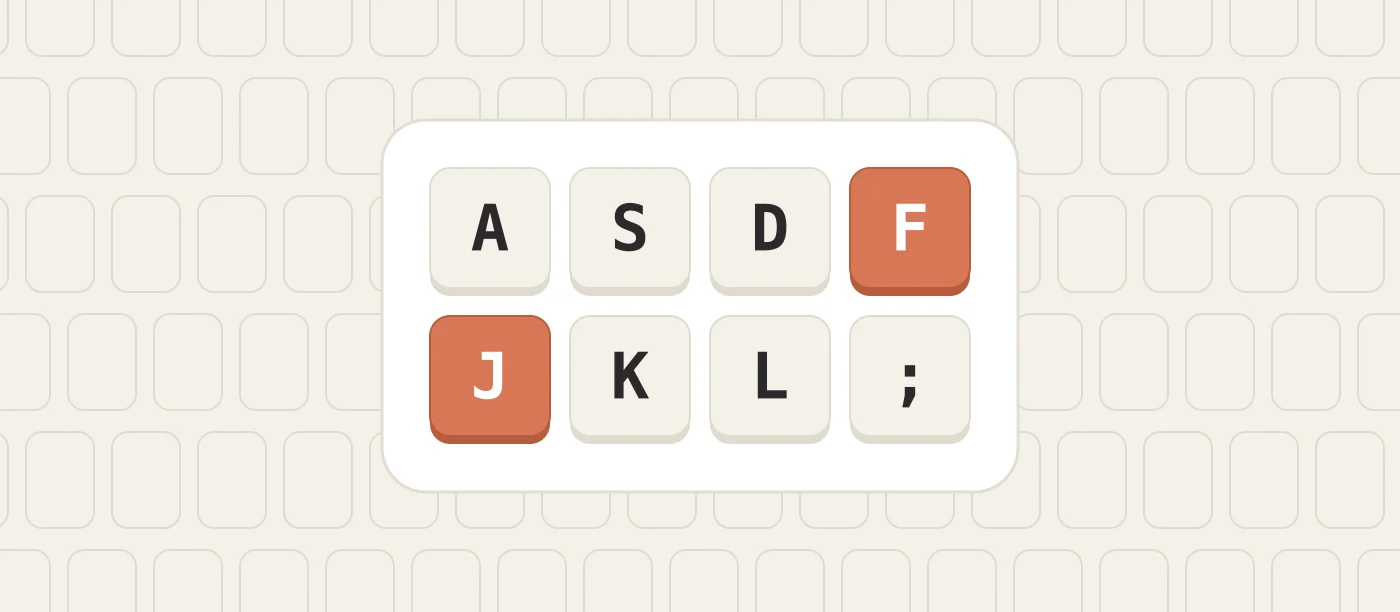
You cannot stop looking until your hands have a fixed starting point. That point is the home row. Rest your left fingers on A, S, D and F and your right fingers on J, K, L and the semicolon key. The F and J keys have small raised bumps so your index fingers can find them by touch.
From there, every key belongs to one finger, and that finger returns home after pressing it. If your hands float freely over the keyboard, they have no reference and you will always need your eyes. If they return home after every reach, each key is always the same distance and direction away, and that is something a hand can memorise.
A two week plan
Days 1 to 3: the home row only
Practise only the eight home keys plus G and H. Keep your eyes on the screen and type slowly. When you press the wrong key, do not look down. Feel for the bumps on F and J, reset your hands and try again. Ten minutes a day is enough.
Days 4 to 8: add the top row, then the bottom row
Add the row above, then the row below, a few keys at a time. Say the letter silently as you press it. It sounds childish, but it ties the letter to the movement instead of to the picture of the keyboard.
Days 9 to 14: real words and sentences
Move to ordinary text with capitals and punctuation. Your speed will be well below what you manage while looking. That is expected. Hold the rule anyway: eyes on the screen, every time.
Tricks that make it easier
- Cover your hands. Drape a light cloth or a sheet of paper over your hands, or slide the keyboard under a low shelf. If looking is impossible, the habit has nothing to feed on.
- Raise the screen. When the screen sits at eye level, glancing down takes a bigger head movement and you notice yourself doing it.
- Look at the text ahead. Give your eyes a job. Reading one or two words ahead of the one you are typing keeps them busy and makes your typing smoother.
- Type in the dark, briefly. A minute or two with dim lights shows you how much you already know by touch. Most people are surprised.
- Use an on screen keyboard. If you forget where a key is, look at a diagram on the screen, not at your hands. You stay oriented without breaking the rule.
What to do when you make a mistake
The urge to look is strongest right after an error. Resist it and use touch. Slide your index fingers until they find the bumps, then try the key again. If you miss three times in a row, stop, check a keyboard diagram, and repeat that key slowly ten times.
Do not chase the mistake at full speed. Errors while learning are information: they show which keys your fingers have not mapped yet. Write down the two or three that keep failing and give them extra practice the next day.
Expect to get slower first
For the first week or two you will type more slowly than before, sometimes by half. This is where most people give up, because they have real work to do and the old way is faster today. A workable compromise is to type properly during practice and for low pressure writing, and allow yourself the old method when a deadline is close. Shrink the exceptions each week until there are none.
Most people who practise ten to fifteen minutes a day pass their old speed within one to two months, and then keep improving, which the look and peck method never allowed.
Keys that stay difficult
Numbers, symbols and rarely used letters are the last to settle. That is normal, because you press them less often. Give them short, separate sessions. It is fine to still glance at an unusual symbol after a month. The goal is that the letters, the space bar, Shift, Enter and Backspace need no eyes at all, since those make up nearly everything you type.
How to know it has worked
You have broken the habit when you notice a typing mistake on the screen at the moment it happens, not a line later. Another sign is that you can keep typing while reading from a document beside you, or while looking at someone who is talking. At that point your eyes are free for the work itself, which was the purpose all along.