The Number Pad: How to Type Ten Key by Touch
If your work involves invoices, spreadsheets, stock counts or any long column of figures, the block of keys on the right of the keyboard is the fastest tool you have. It is called the number pad, the numeric keypad or, in job adverts, ten key. Used by touch with one hand, it enters numbers two or three times faster than the row of digits above the letters. Most people never learn it properly, and it takes only a week or two.
Why the number pad is faster
The number row spreads ten digits across the full width of the keyboard, shared between both hands, far from the home row. The number pad puts the same ten digits under three fingers of one hand, in a grid three keys wide. No digit is more than one key away from where a finger rests. The plus, minus and Enter keys are beside them, so a whole column of figures can be entered without the hand leaving its place. The other hand stays free to turn pages or hold your place on a document.
Where the fingers go
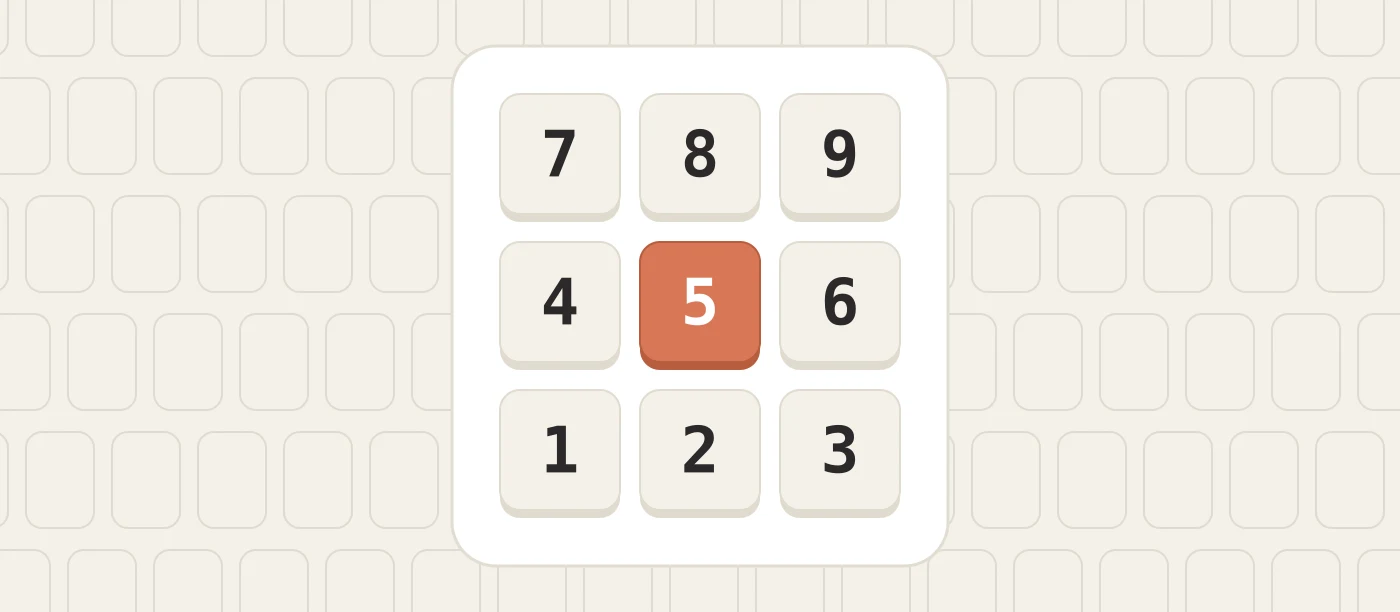
Use the right hand. The home row of the number pad is the middle row: 4, 5 and 6.
- Index finger rests on 4, and also presses 7 above it and 1 below it.
- Middle finger rests on 5, and also presses 8 and 2.
- Ring finger rests on 6, and also presses 9, 3 and the decimal point.
- Thumb presses 0.
- Little finger presses Enter, plus and minus.
The 5 key has a small raised bump, like F and J on the main keyboard. Your middle finger finds it by touch, and the other fingers fall into place either side. After every key press, the finger returns to the middle row.
Check that Num Lock is on. When it is off, the keys act as arrows and navigation keys, and nothing you type appears.
Phone layout and calculator layout
A keyboard number pad has 7, 8 and 9 on the top row, like a calculator. A phone keypad has 1, 2 and 3 on the top row. If you learned numbers on a phone, your fingers may reach in the wrong direction at first. This passes within a few days of practice.
What KPH means
Number pad speed is measured in keystrokes per hour, written KPH, not in words per minute. Every digit, decimal point and Enter counts as one keystroke. To convert, divide by 60 for keystrokes per minute: 9,000 KPH is 150 keystrokes a minute, or two and a half per second.
Accuracy is measured strictly, because a wrong digit in a price or an account number is a real error that someone has to trace later. Employers often want 98 percent or better.
How fast is fast?
Requirements vary by employer, but these ranges are common in job adverts for numeric data entry:
- Under 6,000 KPH: learning. Usually still looking at the keys.
- 6,000 to 8,000 KPH: acceptable for general office work.
- 8,000 to 10,000 KPH: the usual requirement for data entry roles.
- 10,000 to 12,000 KPH and above: fast. Typical of experienced operators who enter figures all day.
If an advert asks for a ten key speed, it nearly always means numbers only, entered on the number pad, with accuracy counted.
A two week practice plan
Ten minutes a day is enough. Keep your eyes on the screen or on the source document from the first day.
- Days 1 to 3: the home row. Type only 4, 5 and 6 in random order, then add 0 with the thumb. Go slowly and return to the home row after each key.
- Days 4 to 6: the top row. Add 7, 8 and 9. Type three digit numbers that mix the two rows.
- Days 7 to 9: the bottom row. Add 1, 2 and 3. This reach feels less natural than the one upwards, so give it the extra day.
- Days 10 to 12: decimals and Enter. Type prices such as 14.99 and 205.50, pressing Enter after each one with the little finger.
- Days 13 and 14: real data. Enter a column of figures from a printed page, a receipt or a bank statement. This is the real task: eyes on the paper, not on the hand.
Then time yourself for five minutes and work out your KPH, so you have a starting figure to improve on.
Tips from people who do it all day
- Read numbers in groups. Take three or four digits at a glance, type them, then look at the next group. Reading one digit at a time is slow and tiring.
- Keep a rhythm. Even, steady key presses produce fewer errors than fast bursts with pauses.
- Use Enter and Tab instead of the mouse. In a spreadsheet, Enter moves down and Tab moves right. A full table can be entered without touching anything else.
- Check totals, not digits. Where the source has a total, compare it with the sum of what you entered. It is quicker than rereading every figure.
- Rest the hand. One hand does all the work, so take a short break every twenty to thirty minutes and keep the wrist straight.
If your laptop has no number pad
Many laptops leave it out. If you enter numbers often, a separate USB or wireless number pad is inexpensive and can sit wherever your hand is comfortable, including on the left for left handed users. If you only type an occasional figure, the number row is fine, and it is worth learning that by touch as well.
Is it worth learning?
For accounting, bookkeeping, payroll, stock control, banking and data entry work, yes, without question. It is one of the few keyboard skills that a job advert may name directly. For everyone else, it depends on how often you meet a column of numbers. The cost is small: two weeks of short sessions, and the skill does not fade.